Renaming Project Specific Tabs
Project administrators can override certain labels of project specific tabs in the top menu bar. These changes only affect the active project; labels remain the same in any other project. All project members can see these modified labels in the project.
To edit a label:
1. Open a project.
2. Click the Admin tab.
3. Click the Settings option.
4. Navigate to the Tabs in the top menu option.
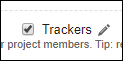
5. Hover the mouse over the tab that you wish to rename and click the  .
.
.
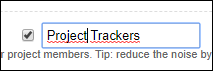
6. Modify the label.
7. Click Save.
Modified labels are marked with  . Hover the mouse over to see the default label for the tab.
. Hover the mouse over to see the default label for the tab.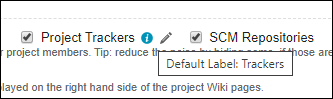
 |
You can personalize the labels of project specific tabs in the User Preferences. User preferences take precedence over project and default settings.
|