Using the Swagger API
Follow the steps to use the Swagger APIs.
Open <site url>/v3/swagger/editor.spr URL for a built-in API tester.
|
Click Authorize and enter your username and password. Authentication is needed to use any API endpoint.
After authentication, you can use all the API endpoints.
|
 |
|
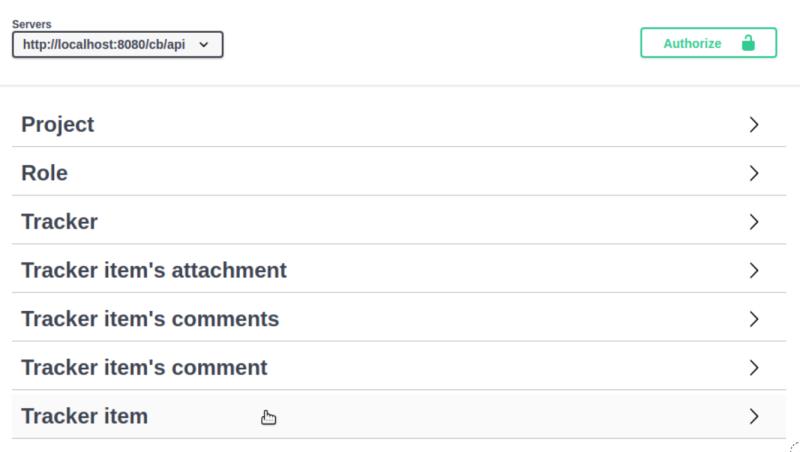
Click the group names, to see the available API endpoints.
|
 |
|
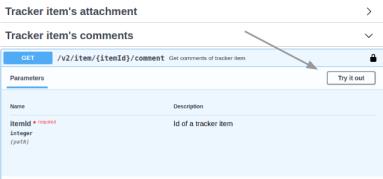
Click Try it out to execute an API request.
|
 |
|
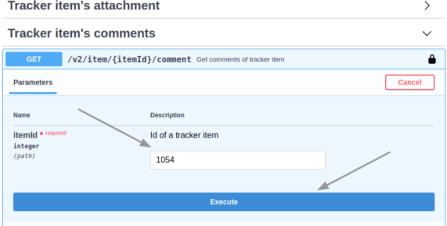
Set an ID of your tracker item and click Execute.
|
 |
|
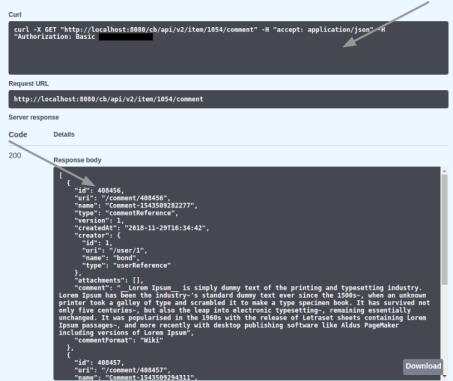
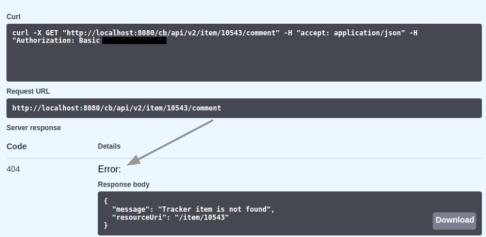
After the execution, a Curl example of the request is displayed, in addition to the response.
|
 |
|
If the ID of tracker item is invalid, a 404–error code and an error message is returned in the response
|
 |
|
Examples are also provided for complex API requests.
|
 |