通过 SSO 登录生成电子签名
自 20.11-LTS 版本起,对于使用 SSO 和默认登录的用户,Codebeamer 也能够生成电子签名。
所有需要电子签名的功能均使用相同的生成机制。
总会显示一个按钮来指示签名生成流程。以下是几个按钮的列表:
• “生成签名”按钮。
• “重新生成签名”按钮。
• “开始签名流程”按钮。
• “签名并批准/签名并拒绝”按钮。
单击按钮后将打开一个弹窗,通过登录凭据标识当前用户。根据用户的登录机制,将显示 SSO 标识提供者的登录屏幕或默认 Codebeamer 登录屏幕。(如果用户能够使用默认登录凭据和 SSO 进行登录,则会显示 SSO 登录屏幕)。
先决条件
SAML
必须支持 forceAuthn 参数。
A boolean value of "true" or "false" that indicates whether the request generated by the service provider should include an option to bypass an existing security context and require explicit user interaction during authenticaton to the identity provider.
OpenID
必须支持 prompt 参数。
login The Authorization Server SHOULD prompt the End-User for reauthentication. If it cannot reauthenticate the End-User, it MUST return an error, typically login_required.
默认 Codebeamer 登录屏幕
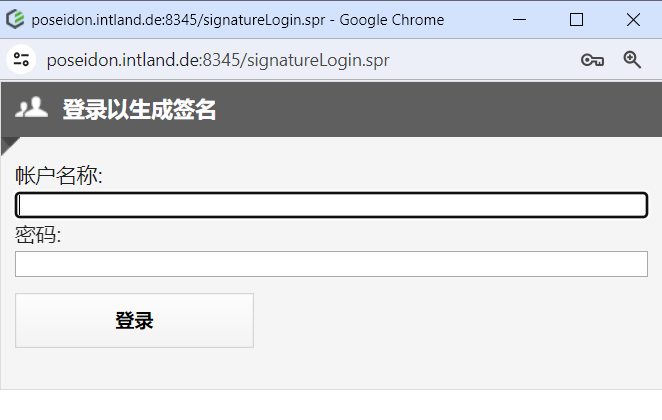
对于不符合 FDA 标准的行业 (例如:汽车),在登录弹窗中预先填写用户名是可以接受的。
在这种情况下,将启用一个应用程序配置选项来预先填充当前用户的用户名:
"signature" : {
"usernameRequired" : true (default) / false
},
"usernameRequired" : true (default) / false
},
SSO 登录屏幕示例
此屏幕由标识提供者提供。
