How to Fix if a Word Import Fails with an Error Message?
Sometimes, a Word document import fails because the document contains broken structures or is in an old format that is not compatible with Codebeamer X. This results in an error message as shown in the following image:

Use Word Document Inspector to fix the broken Word document. For more information, see Using Document Inspector.
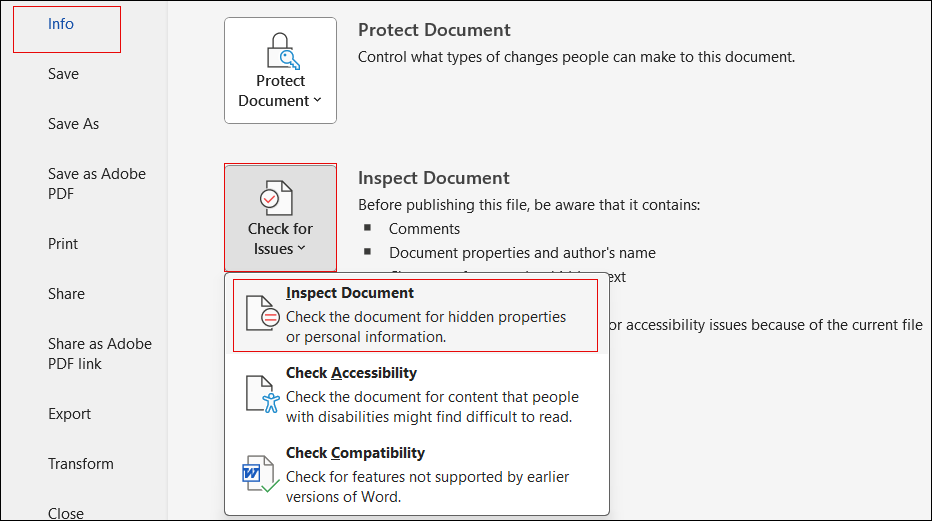
1. Open a Word document and click the File menu.
2. Select > > , to open the Document Inspector.
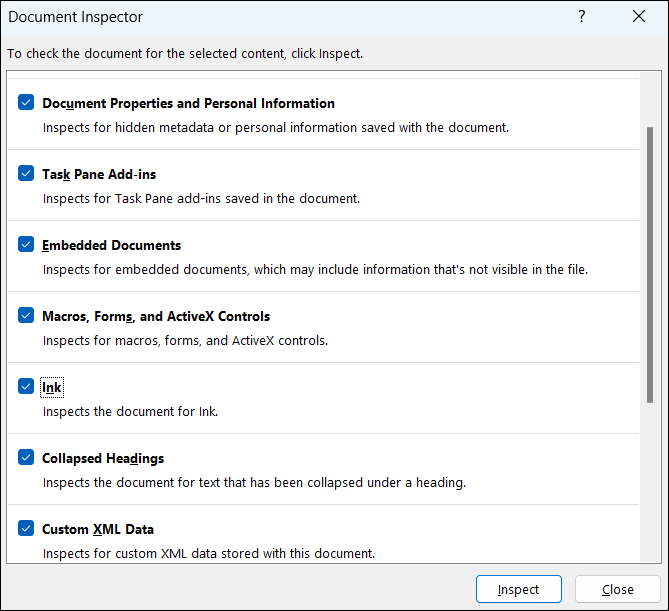
3. When the Document Inspector window opens, keep all the default selections and click Inspect.
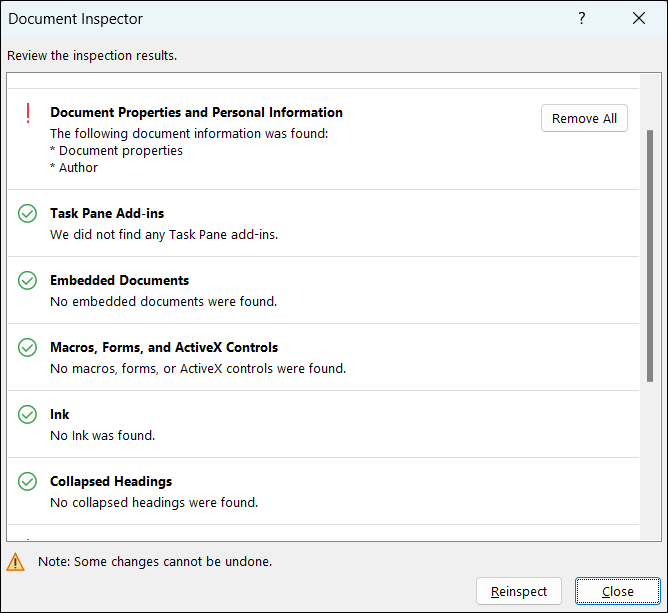
4. In the result window, you can remove all the error (especially the custom XML Data) and save the Word document using Save a copy option. Now you can import the fixed Word document to Codebeamer X.
Parent topic