Multichoice Fields
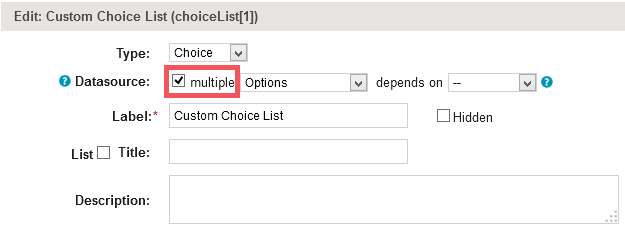
If a field is configured for multiple choice options (see screenshot below), and can have more values, then its items have to be iterated through as described in section Explicit processing of collections and content filtering
For example:
<jt:if test="${item.getChoiceList(1) != null}"><jt:forEach items="${item.getChoiceList(1)}" var="choice"> ${choice.name}</jt:forEach></jt:if>
Note the difference in syntax when referring to collection items opposed to complete collections. For example, item.getChoiceList(1) vs. items.getChoiceList(1) )
Please see attached an example template for exporting multichoice fields
The caveat of this script above is that it will put each choice value to a new line. If you want the choice values into a single cell and separated by a , character this small groovy script with our groovy tag can do that. This script will print out the Category field's values to a cell.
<cb:groovy template="false" silent="false">cats = fields.getByLabel(item,"Category"); result = []; cats.each({result.add(it.name)}); return result.join(",");</cb:groovy>