MathType for XML Editors on Arbortext
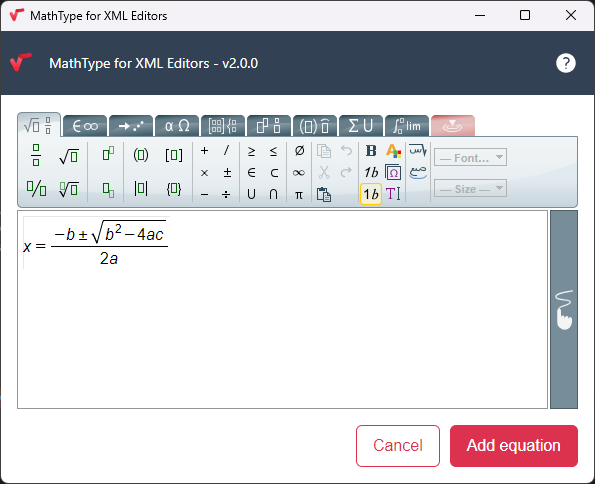
MathType for XML Editors is a user-friendly tool designed to help you create mathematical expressions and add them as MathML into your Arbortext documents. It provides an intuitive interface, allowing you to craft equations visually without having to deal with the MathML itself.
Licensing
MathType offers a 30–day trial to explore all its features. You must secure a license if you want to use it beyond the trial period. You can contact MathType’s Sales Team at [email protected] to purchase a license.
By default, MathType for XML Editors uses MathType services from their servers at wiris.net (for example, the MathType user interface). However, with an additional license, these services can be hosted on your server . If this is a requirement for your institution, please contact MathType’s Sales Team at [email protected].
Installing and Using MathType for XML Editors with Arbortext
1. Download MathType for XML Editors from MathType’s official website.
2. Run the installer and follow the on-screen instructions to complete the setup process.
3. To prepare Arbortext, follow the instructions provided in the README file located at Arbortext-path/samples/mathtype.
4. Set the environment variable APTMATHTYPEPATH to the full path of MathType for XML Editors .exe file.
5. Optionally, set APTCUSTOM to point to your directory Arbortext-path/samples/mathtype/custom to use the provided samples.
6. Open Arbortext Editor and access MathType directly from within the application to create or edit existing MathML.
MathType Technical Support
If you encounter any technical issues or have any technical questions about MathType for XML Editors, MathType’s support team can assist you. You can contact Wiris Technical Support at [email protected] for prompt help.
 | If you use MathFlow in Arbortext, please note that MathFlow and MathType for XML Editors can coexist. Formulas created with MathFlow can be edited by MathType for XML only in the XML file and not if they are exported. |