Using the Resource Manager
You can add the following types of references to DITA topics:
• Cross references
• Links
• Images
• Content references
To assist you in adding these reference types to your documents, Arbortext Editor provides the Resource Manager. The Resource Manager is a dialog box that enables you to browse a file system, content management system, or the Internet to find references to add to your document. It contains tabs enabling you to add all of the above reference types:
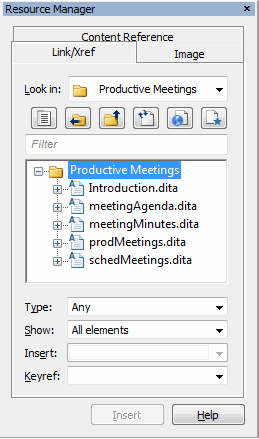
You invoke the Resource Manager by choosing > or selecting the Resource Manager  toolbar button. In some cases, the Resource Manager opens when you do an editing operation related to inserting references in a DITA topic. For example, when you choose > the Resource Manager appears docked to the left side of the Arbortext Editor window with the Image tab active.
toolbar button. In some cases, the Resource Manager opens when you do an editing operation related to inserting references in a DITA topic. For example, when you choose > the Resource Manager appears docked to the left side of the Arbortext Editor window with the Image tab active.For more information, refer to the Resource Manager overview topic in the Arbortext Editor help.