Log Collector
Log and Dump Collector Task
You can use the Log and Dump Collector task in the Task Manager User Interface to download logs from InS_Log/System/Log and automatically generated crash dumps from InS_SW/Log/System.
This task also enables you to download logs and crash dumps for a specific timeframe using the date range filter. After downloading, the task provides a link to download the filtered logs. Additionally, it helps you to collect live dumps from the system.
To download the logs and dumps using this task, perform following steps:
1. Click Log and Dump Collector.
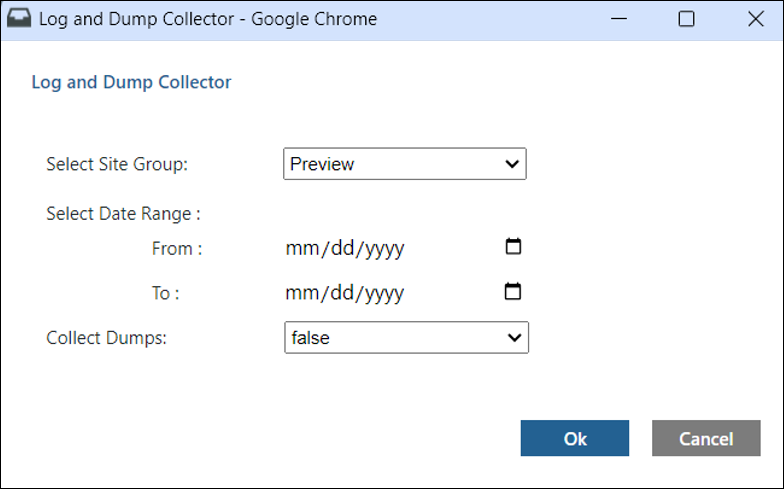
2. Under Site Group list, select either Preview or Runtime from which the logs need to be downloaded.
3. Under Date Range list, select appropriate date range for logs that need to be downloaded.
4. Under Collect Dumps list, select True if you want to collect live dumps of Arbortext Content Delivery processes like JBoss, Core, and CMI while downloading the logs.
5. Click Ok.
6. Once the task is completed, a link to download the logs is displayed. Click Download Logs link to download the logs in .ZIP format.

 |
If you select a date older than the current date in the Date Range filter, the downloaded .ZIP file include few extra default log files like InService.log, Server.log, and Sce.log. This is a known limitation as these default system-generated log files do not have a date stamp appended and are not filtered.
|