Previous Page 35 of 89 Next
Information

Selecting Intent Edges

When selecting edge references, you can often query to Intent Edges.  Intent edges allow you to select multiple edges at once, and also are most robust.  Instead of referencing specific edges, intent edges reference the underlying feature.

Task 2-6. Create an intent edge round on the IMPELLER_HOUSING_2.PRT.

  1. Select the Folder Browser , and click Working Directory to view the Part_Modeling folder.
    1. Select IMPELLER_HOUSING_2.PRT from the browser to view its preview, and then click Open in Pro/E
  2. Select the RIB_FLANGE group from the model tree.
    1. Right-click and select Resume.
    2. Select the Insert Indicator  and drag it before the RIB_FLANGE group.
  3. Start the Round Tool from the feature toolbar.
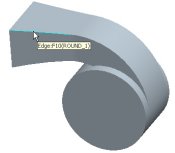
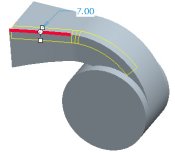
    1. Select the edge shown in the following figure.
    2. Drag the radius handle to 7.


Edge Selected for Round

  1. Press CTRL and select the same edge again to de-select it.

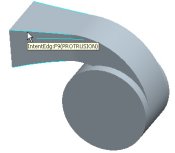
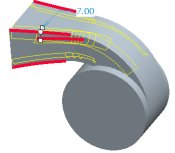
  2. Right-click to query to the intent edge (4 edges) and select it, as shown in the following figure.


Intent Chain Selected for Round

  1. Click Complete Feature .

Tip
You can also middle-click as a shortcut to Complete Feature .

Previous Home Next