查找零件
除了单击零件查看其元数据外,还可以向体验添加搜索栏。如果您有零件号,但不知道要在模型上查找哪个零件,则可以搜索该零件号,系统即会突出显示相应零件。此功能通过创建名为 findMeta 的函数来实现,该函数允许使用零件号作为输入参数,然后将零件号与四轴飞行器的模型数据进行比较。最后,更具比较结果突出显示具有给定编号的零件。
 |
如果您希望了解当前的进展,可以在 GitHub 上的 Appendix 1 中找到本部分的完整代码进行比较。
|
1. 在“主页”视图中,打开 2D 工作区。
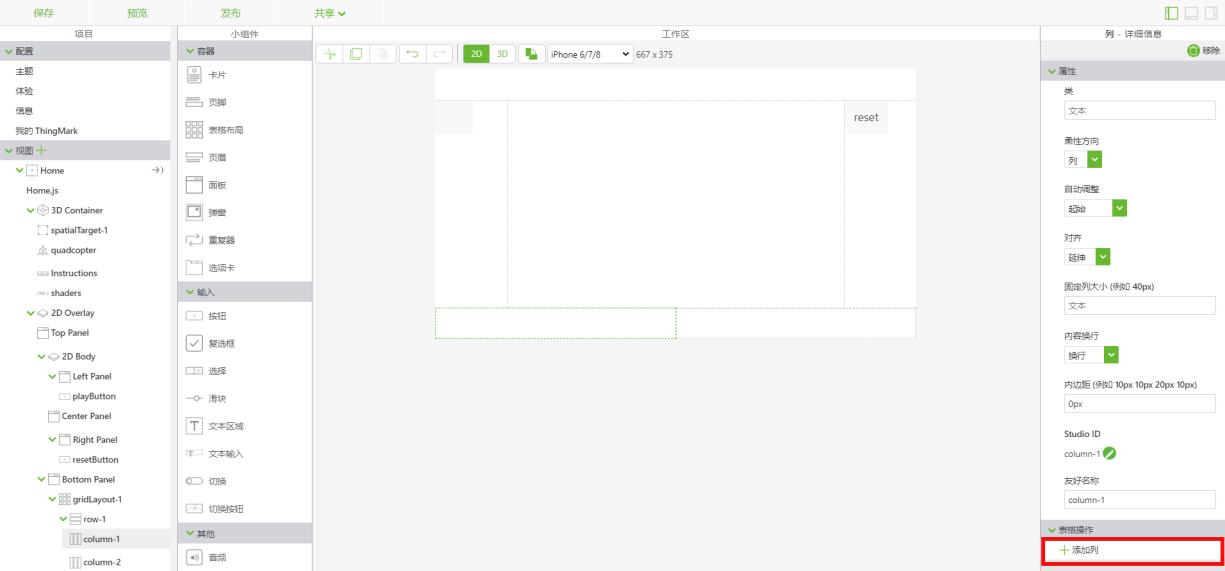
2. 将“表格布局”小组件拖放到工作区的底部面板上。单击屏幕左侧“视图”树中的 column-1。在“表格操作”下选择“添加列”,以将底部面板分割为两列。
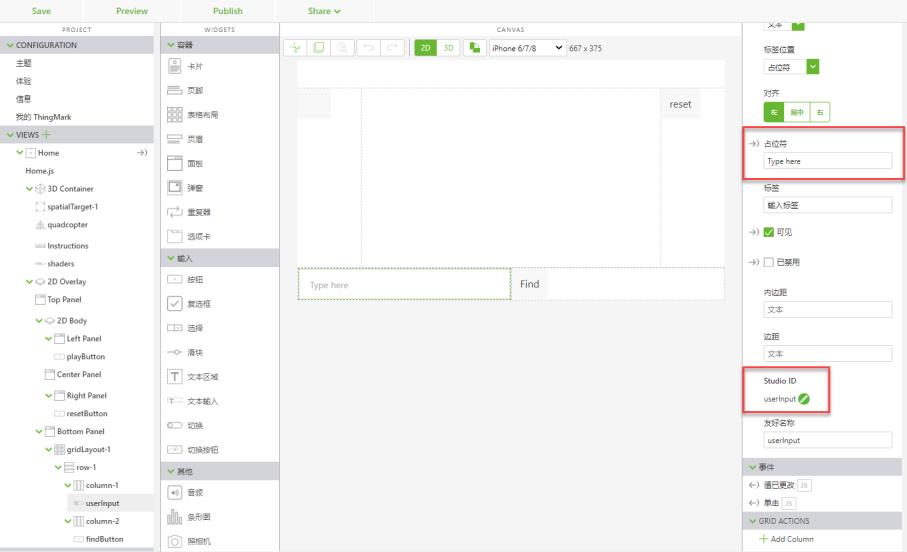
3. 将“文本输入”小组件拖放到底部面板上的 column-1。文本输入将用于输入文本以搜索零件名称或编号。在“占位符”字段中输入 Type here。将 Studio ID 设置为 userInput。
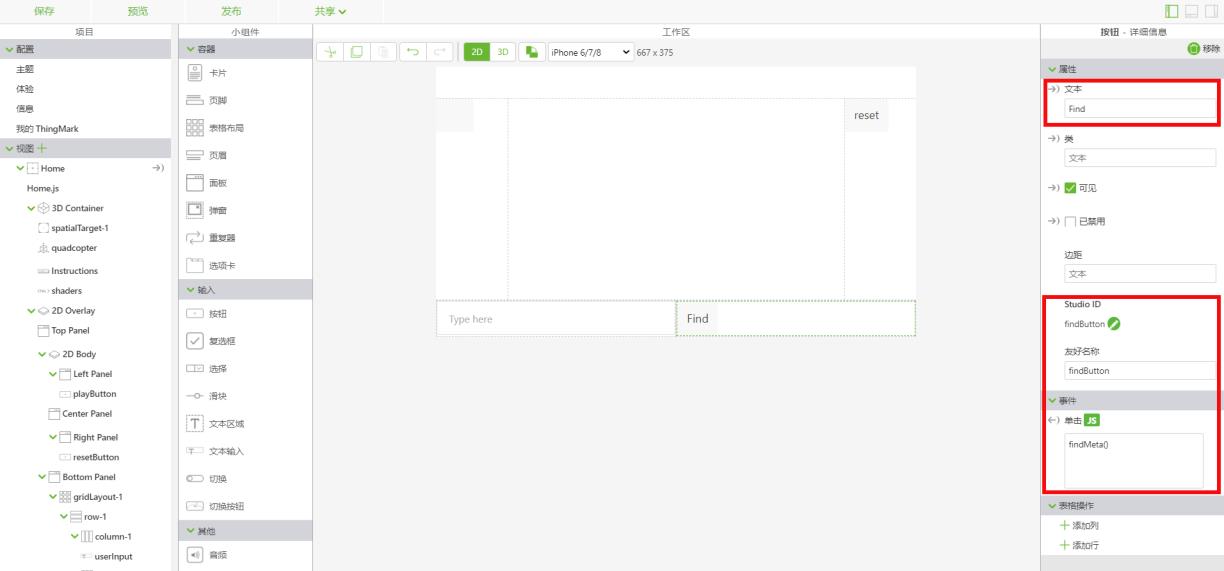
4. 在 column-2 中,添加“按钮”小组件。在“文本”字段中输入 Find。将 Studio ID 更改为 findButton。在“单击”事件的 JS 部分,键入 findMeta()。此函数将在 Home.js 选项卡中创建。
5. 单击右上角的  ,打开“数据”面板(如下所示)。此时需要创建应用程序参数,用于将 userInput 小组件中键入的文本与相应的模型属性进行关联。
,打开“数据”面板(如下所示)。此时需要创建应用程序参数,用于将 userInput 小组件中键入的文本与相应的模型属性进行关联。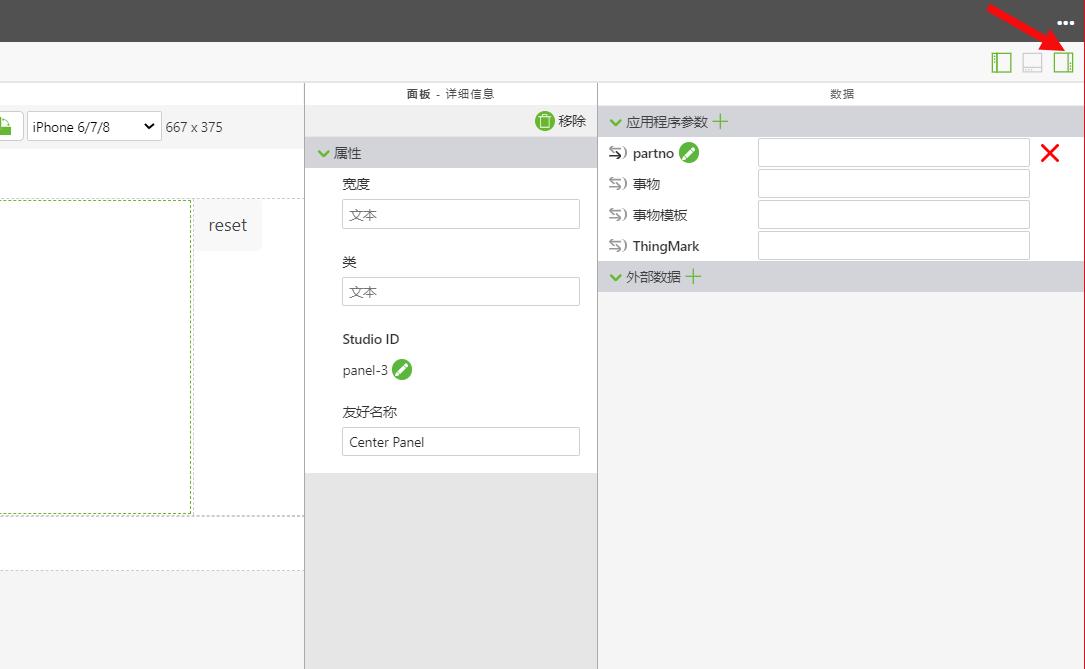
a. 选择“应用程序参数”旁边的绿色 + 以创建新的应用程序参数。将应用程序参数命名为 partno,然后单击“添加”。
b. 打开 userInput“文本输入”小组件。将 userInput 小组件的partno“文本”特性拖放到 应用程序参数上。这样即会将 userInput 框中输入的文本与 partno 变量绑定到一起。当两个被绑定对象旁边的箭头变成全黑时,即表示绑定已创建成功。
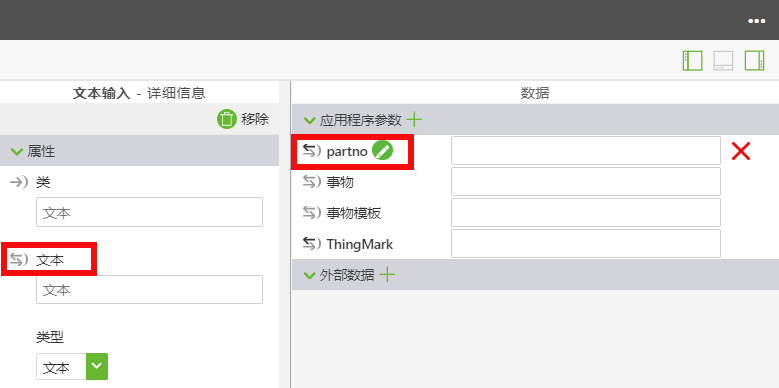
6. 单击“视图”树状菜单中的 Home.js。要使用搜索栏查找具有给定零件号的零件,必须创建新的函数。此函数将提取 userInput 框中键入的文本,并将其设置为名为 searchNum 的变量。此值的变量随后将与四轴飞行器模型中所有可用的零件号进行比较。如果某个零件的零件号正好与输入文本匹配,系统即会使用之前“3D-Guided Service Instructions 201”部分中的着色器突出显示该零件或多个具有同一零件号的零件实例。该零件将被突出显示 3 秒钟。将此函数放置在 userpick 函数之后和 playit 函数之前。
1. 创建一个名为 findMeta 的函数,用于在含有 userInput 文本框中所键入信息的零件中查找元数据。此函数中的第一步是移除播放按钮的文本,并解除模型与任何序列之间的关联。接下来必须创建一个变量,其值应等于 userInput 文本框中键入的任何文本(具体视所创建的应用程序参数而定)。
//function for using the userInput text box to search for parts
$scope.findMeta = function () {

  //reset the text property of the play button to be blank
  $scope.view.wdg.playButton.text='';
  //
  //set the toPlay object for the play button to be undefined
  $scope.view.wdg.playButton.toPlay = undefined;
  //
  //set a variable for comparing the user input to the value of the partno application parameter
  var searchNum = $scope.app.params.partno;

  //
  // instead of using metadata from just the picked part, use metadata from the whole model. If resolved, proceed
  PTC.Metadata.fromId('quadcopter')
                      .then ( (metadata) => {
2. 该函数的下一部分将提取 userInput 中输入的数据,并将其与模型的 Part Number 属性进行比较。此时可创建 options 变量作为 ID 路径的数组,其中包含与所输入文本相对应的数据。此操作可通过组合使用 .find 与 .like 方法来实现。当用户在 userInput 框中键入文本时,由于文本输入与参数之间的绑定关系,该文本即会输入到 partno 应用程序参数中。因此,变量 searchNum 即会设置为 partno 应用程序参数的值。然后,searchNum 变量会与使用 .find 方法所找到的该模型属性的任何现有 partNumber 值进行比较。接着使用 .like 方法查找与输入框中所键入文本完全匹配或部分匹配的所有零件号。随后,这些结果通过 getSelected 作为值列表存储在 options 变量中。
  //
  //set a variable for comparing the user input to the value of the partno application parameter
  var searchNum = $scope.app.params.partno;
  //
  // instead of using metadata from just the picked part, use metadata from the whole model. If resolved, proceed
  PTC.Metadata.fromId('quadcopter')
    .then((metadata) => {
        //
        // set a variable named options. this variable will become an array of ID paths that fit the input text.
        // 'like' will look for a partial text match to what is typed in. use 'same' to get an exact match
        var options = metadata.find('partNumber').like(searchNum).getSelected();
        //
        // if the text input leads to a part number so that there is an entry in the options array
        if (options != undefined && options.length > 0) {
            //
            // set an empty array called ID. This array will house the parts that contain the entered part number
            var identifiers = []
            //
            // for each entry in the options array, push that value with 'quadcopter-' at the beginning into the ID array
            options.forEach(function (i) {
                identifiers.push('quadcopter-' + i)
            }) //end forEach
            //
            // highlight each object in the identifiers array with the shader
            $scope.hilite(identifiers, true)
            //
            // function for removing the highlight
            var removeHilite = function (refitems) {
                //
                // return the hilite function with a value of false to the given part(s)
                return function () {
                    $scope.hilite(refitems, false)
                } // end of return function
            } // end of turning off hilite
            //
            // remove the highlight of the selected part(s) after 3000 ms
            $timeout(removeHilite(identifiers), 3000)
          } //end if statement
    }) // end .then
      //catch statement if the promise of having a part with metadata is not met
      .catch((err) => { console.log('metadata extraction failed with reason : ' + err) })
} // end findMeta function

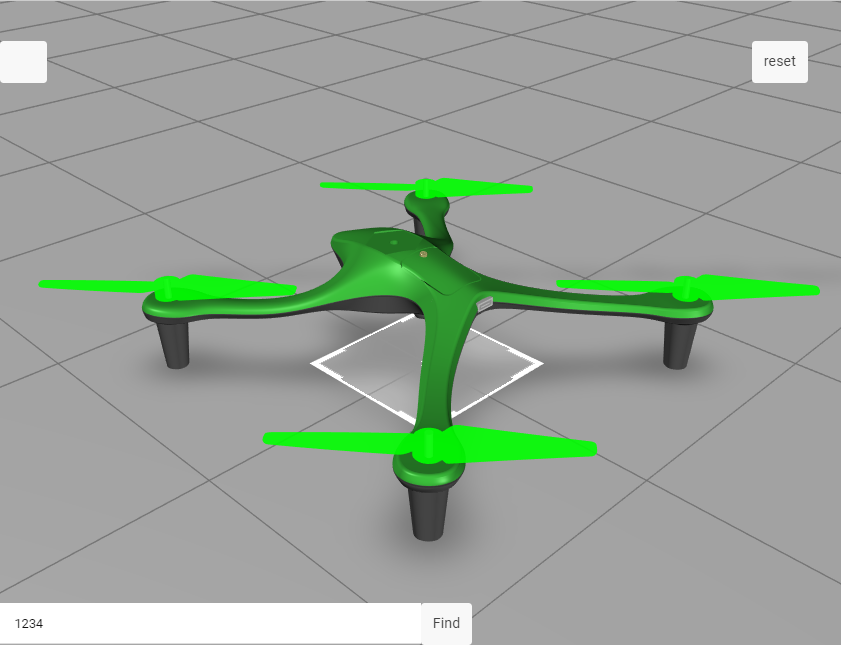
7. 单击“预览”。在 userInput 框中输入 1234,然后单击“查找”。如果所有转子都突出显示为绿色然后消失,则表示本步骤已成功完成。
本节的完整代码可在 GitHub 上的 3D-Guided Service Instructions 202 中找到。
在后续的“3D-Guided Service Instructions 301”中,您将向模型添加定价数据和购物车。